


Most small teams experience a quiet inefficiency-not because they lack tools, but because they adopt them in the wrong order.
- The Real Gap: B2B SaaS Workflow Automation for Enterprises, Not Lean Teams
- The Shift Toward Outcome-First Automation
- Spending Too Much Time on Repetitive Tasks
- Automation Costs l Increasing Faster Than Expected
- Need of Control, Not Just Automation
- The Hidden Risk: Automation Without Ownership
- No-Code Automation Platforms Comparison: What Actually Matters
- Workflow Automation ROI for SMBs: The Numbers That Matter
- Small Business AI SaaS Tools 2026: Automation Is No Longer Just Integration
- SaaS Automation for Lean Teams: What Actually Works
- Conclusion
In companies with 5 to 50 people, productivity drops not due to lack of ambition or technology. It happens because too much time is spent moving information instead of acting on it. Leads wait in inboxes before reaching CRMs. Support tickets remain unassigned. Long chat threads bury internal approvals. These are not strategic failures-they are workflow failures.
Ironically, when such teams look for solutions, they are often given enterprise-grade advice-complex orchestration platforms, deep integrations, and automation frameworks that require dedicated IT teams. The reality is very different.
Small teams need pragmatic solutions: automation that works seamlessly without friction, overhead, or requiring a systems architect to maintain it.
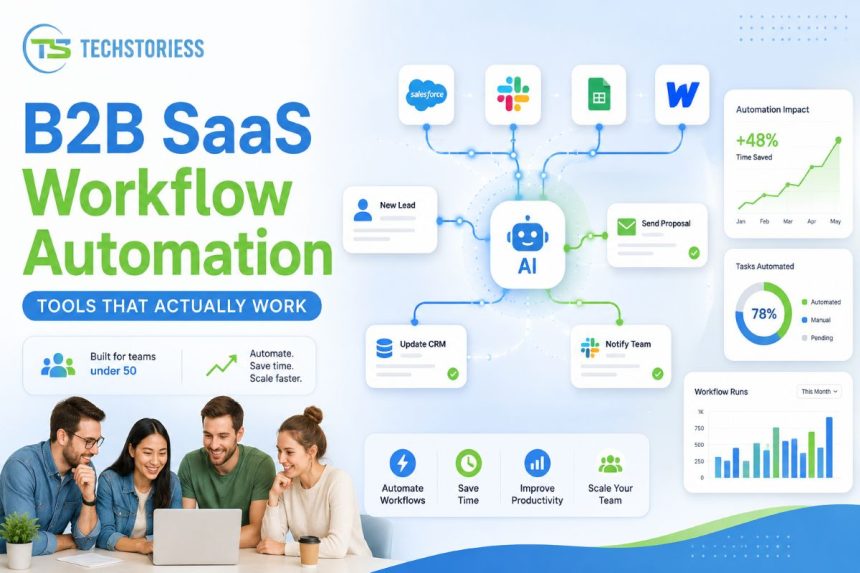
This is where we need to reframe the conversation around the best B2B SaaS workflow automation tools for small business-focusing not on features or integrations, but on outcomes.
The Real Gap: B2B SaaS Workflow Automation for Enterprises, Not Lean Teams
Most workflow automation advice is designed for scale, not constraints. It assumes conditions that small teams rarely meet:
- Dedicated operations teams
- Flexible budgets
- Strong technical expertise
In reality, small businesses operate with limited budgets and lean teams. They cannot afford tools that take months to implement or require ongoing technical management. Every tool must justify itself in terms of time saved and complexity avoided.
This is why many automation initiatives fail-not due to lack of tools, but due to misaligned selection criteria.
Most teams look forvthe most powerful automation tool.
But the real question should be: “What actually works for a team that cannot afford complexity?”
The Shift Toward Outcome-First Automation
Many small teams focus on tools first. Successful teams focus on problems.
Three workflow challenges consistently emerge:
- Manual, repetitive tasks consuming time
- Rising costs as automation scales
- Loss of control as workflows grow complex
These are not isolated issues-they represent different stages of automation maturity, each requiring a different approach.
Understanding this progression allows for more meaningful tool selection.
Before You Automate: Mapping Workflows That Actually Matter
Workflow clarity is one of the key steps in automation that is often ignored by small teams. They often start using AI tools directly without fully understanding the processes they are trying to automate.
This leads to a common failure pattern: automating broken or unclear processes, which only increases inefficiency.
To ensure positive outcomes, teams should map workflows at a basic level before selecting any tool. They should find answers to questions like:
- Where does the process start? Is it lead capture, a support request, or another input source?
- What are the key transitions in the process? It may be assignment, approval, updates, or escalation
- Where are the delays, manual dependencies, or bottlenecks?
In most cases, just a few bottlenecks are responsible for 70–80% of inefficiencies-such as unassigned tasks, manual approvals, or tool-switching friction.
Identifying these points enables teams to focus automation where it creates immediate impact, rather than spreading efforts across low-value tasks.
This approach also helps avoid over-automation. Instead of automating every process, teams should focus only on those that are frequent, repeatable, and time-sensitive.
Spending even a few hours mapping workflows allows teams to:
- Implement faster with fewer iterations
- Avoid unnecessary tool complexity
- Achieve clearer and more measurable ROI
To get the best outcomes from automation, it must be applied to well-understood problems-not assumed ones.
Spending Too Much Time on Repetitive Tasks
At the initial stage, automation is about saving time.
Tasks like copying data, sending notifications, updating spreadsheets, and syncing tools consume valuable bandwidth.
Here, the priority is not optimization-it is speed of implementation.
This is where tools like Zapier consistently emerge as a practical starting solution. The advantage is not just efficiency, but accessibility. With a simple interface and thousands of integrations, even non-technical users can automate workflows quickly. Features like natural language automation further reduce the barrier.
However, there is a trade-off. Simplicity limits flexibility, and over time, cost becomes a concern.
What works at this stage:
- Prioritize ease of use over customization
- Focus on high-frequency, low-complexity tasks
- Avoid overengineering
Typical outcomes:
- Immediate time savings
- Faster lead handling and communication
- Reduced manual errors
Automation Costs l Increasing Faster Than Expected
Once teams gain initial traction with automation, they begin scaling it. More workflows, integrations, and dependencies are added.
At this stage, limitations of simple tools start becoming visible.
Platforms like Make (formerly Integromat) become more suitable, offering a balance between flexibility and cost efficiency. They provide advanced logic, better workflow control, and significantly improved pricing at scale.
In many real-world cases, teams transitioning from Zapier to Make achieve 3–5x cost efficiency improvements.
However, this shift introduces complexity. Users must think in terms of workflows, conditions, and logic-not just triggers and actions.
This is where teams move from convenience to control.
What changes at this stage:
- Automation becomes a core operational system
- Cost awareness increases
- Workflow complexity grows
Outcomes:
- Better ROI
- More flexible workflows
- Lower long-term costs
Need of Control, Not Just Automation
At advanced stages, automation becomes part of the operational backbone.
This is where tools like n8n come into play.
Unlike SaaS platforms that rely on usage-based pricing, n8n offers a self-hosted, highly customizable model without per-task pricing constraints. This creates significant cost advantages for technically capable teams.
However, it introduces operational responsibility.
Teams must manage infrastructure, monitor workflows, and handle failures internally.
This is not a drawback-it is a trade-off between control and effort.
What defines this stage:
- Need for deep customization
- Desire to reduce SaaS costs
- Willingness to handle technical complexity
Outcomes:
- Full control over workflows
- Lower marginal costs
- Higher operational overhead
The Hidden Risk: Automation Without Ownership
With automation becoming central to operations, a subtle but critical risk emerges-lack of ownership, especially in small teams where workflows are often created quickly and informally.
Without clear ownership, it becomes difficult to identify responsibility when something breaks.
There is no clear accountability for issues like failed triggers, API errors, or logic failures.
This results in silent failures:
- Leads not reaching CRM systems
- Notifications not being triggered
- Data inconsistencies across tools
Unlike manual processes, automation failures are less visible. Ironically, they are more damaging because they scale silently.
To prevent this, even small teams need lightweight ownership structures:
- Assign a clear owner for each critical workflow
- Document the purpose and logic at a basic level
- Review high-impact automations periodically
This does not require a dedicated operations team-it requires clarity and accountability.
By implementing this discipline, teams gain a key advantage: trust in automation.
Without ownership, automation becomes unpredictable. With clear ownership, it becomes a reliable operational layer that teams can confidently build upon.
No-Code Automation Platforms Comparison: What Actually Matters
Most comparisons focus on features. For small teams, the real differentiators are more fundamental: ease, cost structure, and control.
The landscape can be viewed in three tiers:
Ease-first platforms (e.g., Zapier):
- Fast setup
- Minimal learning curve
- Higher cost at scale
Balanced platforms (e.g., Make):
- Moderate learning curve
- Strong cost-performance balance
- Suitable for scaling teams
Control-first platforms (e.g., n8n):
- Maximum flexibility
- Lowest long-term cost
- Requires technical capability
This is not a hierarchy-it is a progression. The best tool depends on where the team is in its automation maturity.
Workflow Automation ROI for SMBs: The Numbers That Matter
Automation ROI is often described in qualitative terms-time saved, efficiency gained. Small businesses need measurable outcomes.
Data shows:
- Task execution time can reduce by 90–99%
- Error rates can drop significantly, often near zero
- Teams can recover 10–20 hours per week per employee
However, for small teams:
ROI is heavily influenced by pricing models.
- Per-task pricing (e.g., Zapier) scales quickly-and expensively
- Per-operation pricing (e.g., Make) offers better predictability
- Self-hosted models (e.g., n8n) reduce marginal cost but increase effort
Initial ROI is often strong, but can decline as complexity and usage grow. Understanding this dynamic is critical.
Small Business AI SaaS Tools 2026: Automation Is No Longer Just Integration
By 2026, AI is no longer an add-on – it is a foundational capability in automation tools.
Modern platforms now support:
- AI-driven decision-making
- Natural language workflow creation
- Context-aware automation
This shifts automation from rule-based execution to intelligent orchestration.
For small teams, this is both an opportunity and a risk.
AI can significantly improve efficiency-but without proper control, it can introduce unpredictability.
What AI enables:
- Smarter task routing
- Reduced manual rule creation
- Adaptive workflows
SaaS Automation for Lean Teams: What Actually Works
Observing how small teams adopt and abandon tools reveals a clear pattern:
What is marketed as the “best” tool often does not work for them.
The tools that deliver real ROI are usually those that are simple, practical, and aligned with team capability.
What works:
- Start small and scale gradually
- Prioritize clarity over capability
- Match tools to team skill levels
Common mistakes:
- Adopting complex platforms too early
- Ignoring pricing dynamics
- Treating automation as a one-time setup
Conclusion
There is no universal answer to the best B2B SaaS workflow automation tools for small business.
The answer lies in alignment:
- Tool complexity vs team capability
- Pricing model vs usage scale
- Features vs actual needs
Most importantly, teams must align automation ambition with operational reality.
Automation is not about building the most advanced system-it is about creating something your team can understand, maintain, and trust.
This is what truly matters for teams under 50.