


In the past, the notion of graphic design meant a single thing: high-quality software and a steep learning curve. Photoshop and Illustrator continue to reign, though not everybody wants to part with thousands of dollars or at least months of learning to use them. Graphic design once meant paying $50-80 per month for Adobe Creative Cloud, or struggling with cumbersome interfaces and requiring years of practice. That has changed today.
With free AI graphic design tools, that has changed.
Today, AI is changing how design is done. You can generate images, create social posts, design logos, and even edit visuals—without great technical skills. Most of these are not mere substitutes; they are ready to be substituted as a damp cloth design software.
In 2026, these free AI tools for graphic design provide friendly usage rights for most of their outputs and offer substantial daily credits to cover real-world undertakings. You may need social media, brand, or campaign graphics; the right free tool could cut your work time in half.
In this guide, you will be introduced to the most promising free AI graphic design tools that would enable you to design faster, smarter and increasingly efficient without spending money on more expensive software.
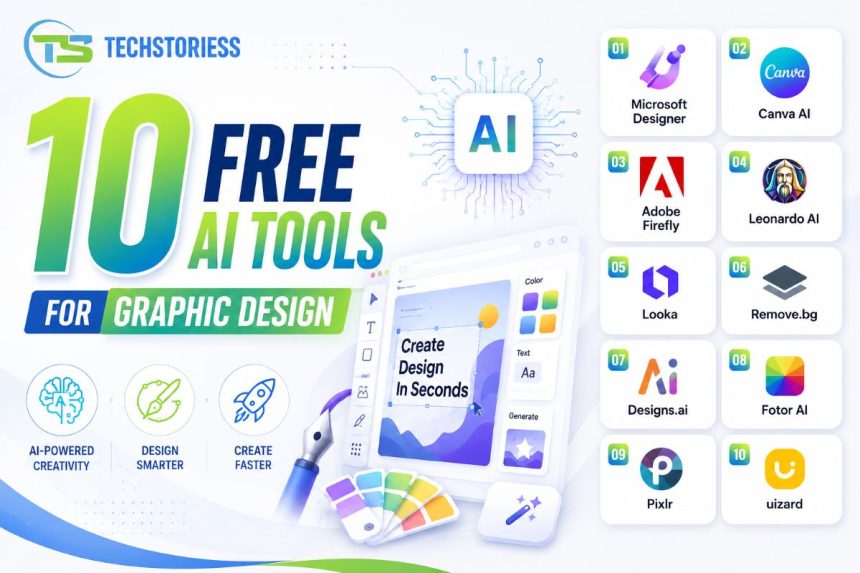
10 Best Free AI Graphic Design Tools (That Actually Work)
1. Microsoft Designer (Best for Quick Social Media Designs)
Definition: The existing design platform gained popularity thanks to AI-driven content-creation tools.
Why it stands out:
Microsoft Designer is one of the most accessible AI tools for graphic design, and it’s free to start with.
You simply type what you want—like “Instagram post for coffee shop”—and it creates multiple design variations instantly.
Key features:
- AI-generated layouts and visuals
- Automatic text suggestions
- Built-in image generator
- Social media templates
Best for: Beginners, marketers, quick content creators
Insight:
Unlike traditional tools, it completely removes the “blank canvas” problem.
2. Canva AI (Best All-in-One Free AI Design Tool)
Definition: A user-friendly design platform with AI-powered content generation tools.
Why it stands out:
Canva has been equipped with Magic Design, AI image generation, and features that allow one to add text to images.
Key features:
- AI-powered templates
- Background remover
- Magic Resize
- AI text-to-image generator
Best for: Social media, presentations, branding
Insight:
It’s one of the most complete free AI graphic design software options available today.
3. Adobe Firefly (Best for High-Quality AI Image Generation)
Definition: Adobe Image Generator and image editing tool is an AI tool that generates and edits images based on input text.
Why it stands out:
Adobe Firefly brings professional-level AI into a free environment.
Key features:
- Text-to-image generation
- AI text effects
- Style variations
- Easy integration with Adobe solutions
Best for: Designers seeking high-end visuals
Insight:
It provides results that are more comparable to professional tools than many free AI tools.
4. Leonardo AI (Best for Creative & Artistic Designs)
Definition: A very strong AI-based image generator specialising in artistic and game-style images.
Why it stands out:
Leonardo AI is widely used for creating unique artwork, characters, and detailed designs.
Key features:
- Advanced prompt control
- High-resolution image generation
- Style customization
- Asset creation tools
Best for: Illustrators, game designers, creatives
Insight:
It’s one of the top free AI image generator tools for highly detailed visuals.
5. Looka (Best for AI Logo Design)
Definition: An artificial intelligence logo creation tool that creates your brand logos.
Why it stands out:
Looka simplifies branding for startups and small businesses.
Key features:
- AI-generated logos
- Brand kit creation
- Font and color suggestions
- Editable designs
Best for: Entrepreneurs and startups
Insight:
It does not require a designer to achieve simple branding.
6. Remove.bg (Best for Background Removal)
Definition: A specialised AI tool that removes image backgrounds instantly.
Why it stands out:
Remove.bg does one job—and does it extremely well.
Key features:
- One-click background removal
- High accuracy
- Transparent PNG output
- API support
Best for: Product images, thumbnails, quick edits
Insight:
It saves hours compared to manual editing in traditional software.
7. Designs.ai (Best for Automated Branding)
Definition: A set of AI-based logo, video and marketing visualisation tools.
Why it stands out:
Designs.ai combines multiple design functions into one tool.
Key features:
- Logo maker
- Video generator
- Speech and text tools
- Brand identity builder
Best for: Businesses looking for all-in-one solutions
Insight:
Use on a large scale in order to scale up the content creation process.
8. Fotor AI (Best for Photo Editing + AI Design)
Definition: A graphic design photo editor based on AI.
Why it stands out:
Fotor blends editing and design in one platform.
Key features:
- AI photo enhancement
- Background remover
- Design templates
- AI art generator
Best for: Bloggers, photographers, and content creators.
Insight:
An excellent amalgamation of editing and designing tools.
9. Pixlr (Best Lightweight AI Editor)
Definition: A browser-based AI photo editor with advanced tools.
Why it stands out:
Pixlr is quickly, easily and surprisingly powerful.
Key features:
- AI cutout tools
- Filters and effects
- Layer-based editing
- Quick adjustments
Best for: Users who want Photoshop-like features without complexity
Insight:
Perfect for quick edits without installing heavy software.
10. Uizard (Best for UI/UX Design with AI)
Definition: An AI tool that converts sketches into app and website designs.
Why it stands out:
Uizard is transforming how interfaces are designed.
Key features:
- Wireframe generation
- Screenshot-to-design conversion
- Drag-and-drop editor
- Collaboration tools
Best for: UI/UX designers and startups.
Insight:
It slashes the design period to a few minutes.
How These Free AI Design Tools Replace Expensive Software
AI design tools are changing how work gets done. What once took hours inside complex software can now be done in minutes with a simple prompt.
While most technical steps, such as layers, grids, and spacing, become part of the set of choices, AI tools chase results. You tell it what you desire, and the tool delivers it. This shift is why free AI graphic design tools are quickly replacing traditional software for everyday design needs.
Let’s break down how that actually happens.
1. Speed Over Complexity
Traditional tools like Adobe Photoshop require you to build everything manually—from layout to typography.
AI tools skip that entire process.
Example:
You type: “Instagram post for a clothing sale”
→ The tool generates multiple ready-to-use designs instantly
What changes with AI:
- No blank canvas problem
- Instant design variations
- Faster execution with minimal edits
Insight:
Many creators report reducing design time by 60–70% for regular content.
2. No Learning Curve
You no longer need to learn complex tools or design principles to get started. Most AI tools for graphic design free for users and can operate without tutorials.
Example:
- Upload an image → Background removed automatically
- Enter a prompt → Full design generated
- Select a style → Layout adjusts instantly
What makes it easier:
- No need to understand layers or masking
- No advanced technical skills required
- Simple interfaces built for non-designers
Insight:
This is why marketers, founders, and students can now create professional designs on their own.
3. Cost Savings
Outsourcing and design software can prove costly in the long run. The apps, such as Adobe Creative Cloud, require a continuous fee, and hiring designers can be added to the financial plan.
Example:
A small business creating daily social media posts can handle everything in-house using AI tools.
Where you save:
With free AI graphic design tools, you can:
- No monthly software subscriptions
- Reduced dependency on freelancers
- Faster turnaround = lower operational costs
Insight:
For startups and small teams, this creates a huge advantage without increasing spend.
4. Automation of Repetitive Tasks
A large part of design work is repetitive. AI tools take over these tasks completely.
Example:
One design → Automatically resized for Instagram, Facebook, and LinkedIn
Tasks handled by AI:
- Background removal in seconds
- Image resizing for multiple formats
- Layout generation
- Colour correction and enhancement
What this improves:
- Saves time on manual edits
- Reduces effort on routine work
- Allows more focus on creativity
Insight:
Designers aren’t being replaced—they’re spending more time on ideas instead of execution.
How to Choose the Best Free AI Design Tool
Based on Your Needs
Various tools have various applications:
- Social media: Canva, Microsoft Designer
- Image generation: Leonardo AI, Firefly
- Logo design: Looka
- Editing: Pixlr, Fotor
- UI design: Uizard
Based on Skill Level
- Beginners → Canva, Microsoft Designer
- Intermediate → Fotor, Pixlr
- Advanced → Firefly, Leonardo AI
Based on Output Quality
If quality matters most:
- Go for Adobe Firefly
- Use Leonardo AI for artistic visuals
FAQs: Free AI Graphic Design Tools
1. What are the best free AI graphic design tools in 2026?
Microsoft Designer, Canva Magic Studio, Adobe Firefly, Leonardo.AI, and Recraft AI are highly rated for quality, ease of use and generosity of their free tiers.
2. Is Microsoft Designer really free for professional use?
Yes. It offers generous daily earnings with no credit card required. Commercial rights apply to most outputs.
3. Can these free AI tools fully replace Adobe Photoshop and Illustrator?
Yes, to 80-90% of daily activities, social graphics, mockups, vectors and rudimentary editing. Complex 3D or print production may still need paid tools occasionally.
4. Do free AI image generator tools allow commercial use?
The majority of them do (Microsoft Designer, Canva, Firefly, Leonardo). Always verify the licence for the particular tool – the free plan of Recraft is not a commercial tool.
5. How do I avoid running out of credits on free plans?
Switch between two or three tools, create when the staff is off duty, and store reusable styles or templates to reduce prompt length.
Conclusion
AI has fundamentally changed graphic design.
After all, there is no use in spending money on expensive software and years of experience to obtain professional visuals. The best free AI design tools will help you design faster, test at minimal cost, and deliver quality.
Begin with one or two of the number of tools listed here. Test them. Build your workflow. Over time, you’ll find that many traditional tools become optional.
These free AI graphic design tools are evolving fast. The ones listed here are the current leaders, but the smartest designers keep experimenting. Your next breakthrough project might be just one prompt away.